Manuals
Product manuals for the SEANIAC eCompass will be available here soon.
Mounting brackets
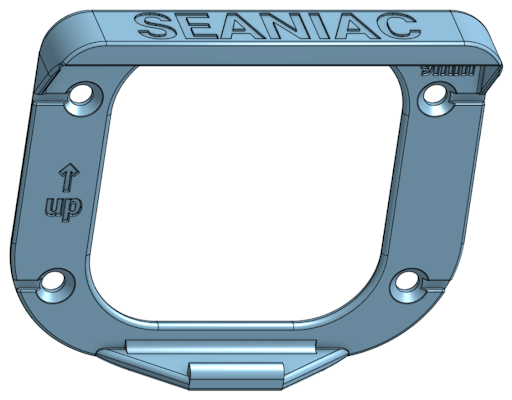
The SEANIAC mounting bracket holds the display on the boat. Mount it so that the “up” marking points upwards. 3D files for printing the bracket are available on request – see Accessories.
Mounting with strings
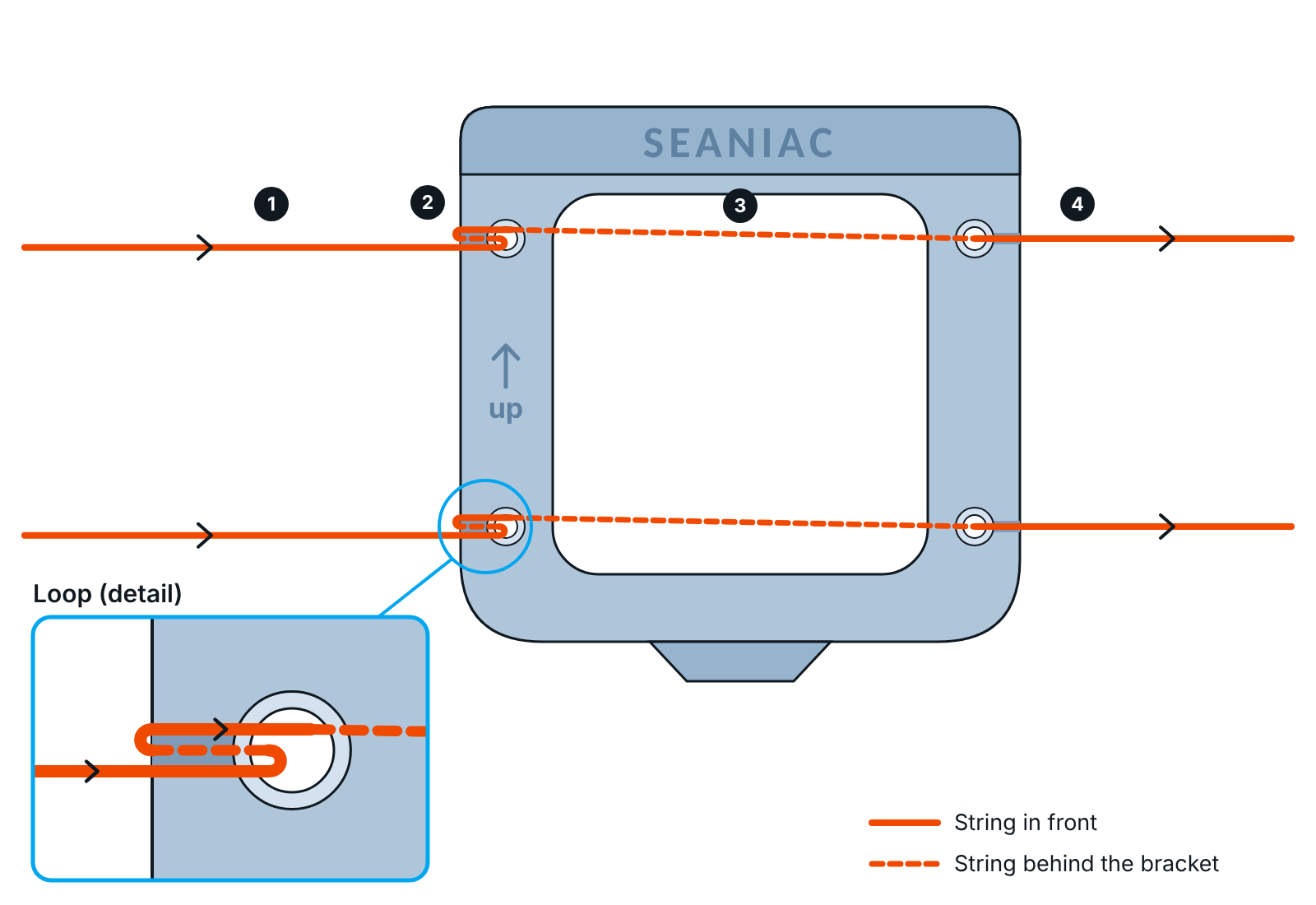
When you mount the bracket with strings, tie it as shown below. This way the strings carry the load and the string force is not put onto the bracket.
- Run each string from the left through the left hole, from front to back.
- Take the string around the left side of the bracket and back through the same hole.
- Run the string behind the bracket to the hole on the right.
- Pass it through the right hole from back to front and continue to the right.